.png?width=1200&height=628&name=MY-UTM-MLDAYDraft%20(1).png "UTM's MATLAB & Simulink Day")
Explore the latest advancements in AI, optimization, and mechanical engineering with these three informative sessions. Learn about deep learning concepts and techniques using MATLAB, optimize your code with parallel computing, and see how MATLAB is used in real-world mechanical engineering applications. Whether you're a beginner or an expert, these sessions will provide valuable insights to enhance your skills and stay ahead of the curve in these rapidly evolving fields.
Revolutionize Your AI Skills with MATLAB's Deep Learning Tools (50Paxs Only)
30th May 23 | 10:00 a.m.–12:00 p.m. (2 hrs) | UTM Digital (Bilik BMU - Venue changed) - Registration Closed
This 2-hour hands-on workshop, "Revolutionize Your AI Skills with MATLAB's Deep Learning Tools," provides a comprehensive overview of deep learning concepts and techniques using MATLAB. Learn about the latest trends and how to develop and implement deep learning models using MATLAB's tools. Enhance your AI skills and stay ahead in this rapidly evolving field.
Topic 1: Maximizing Optimization Performance with MATLAB Parallel Computing
30th May 23 | 2:30pm–4:30pm (2 hrs) | UTM Digital (Bilik Ruckus) & Hybrid
Learn how minimal programming efforts can speed up your applications on widely available desktop systems equipped with multicore processors and GPUs, and how to continue scaling your speed up with a computer cluster.
Topic 2: RoadRunner Application Using MATLAB & Simulink
30th May 23 | 2:30pm–4:30pm (2 hrs) | UTM Digital (Bilik BMU) & Hybrid
RoadRunner is an interactive editor that lets you design 3D scenes for simulating and testing automated driving systems. The designed scenes can be exported to most driving simulation environments, including MATLAB and Simulink.
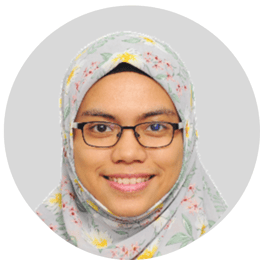
Intan Nuralisa is an Application Engineer at TechSource Systems, Malaysia. She works to improve the adoption of MATLAB and toolboxes in universities around Southeast Asia. Engaging with customers to comprehend their technical and business challenges.
Previously, she worked as Research Assistant at Universiti Teknologi Malaysia that focuses on signal processing, water treatment and desalination processes. She graduated from Universiti Teknologi Malaysia with a Master of Philosophy (MPhil) in Chemical Engineering and a Bachelor Engineering in Chemical-Gas Engineering.
She has built her forte in data analysis, deep learning for communications, statistical analytic with MATLAB. Currently her main interest is in control systems, predictive maintenance, and robotic systems.
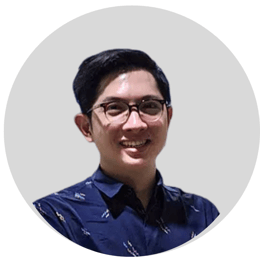
Supamith Sutharojana is an Application Engineer Team Lead at Ascendas Systems. He specialized in a field of Model-based design (Simulink with Verification & Validation workflow), Data Analytics, and various areas especially in Automotive industry, e.g., V&V workflow, Electric Vehicles, Autonomous Driving and Predictive Maintenance.
He holds a B.Eng. in Automotive Engineering from Chulalongkorn University, Thailand. Before joining Ascendas Systems, he was an Engine Software Designer at Top rank Automotive manufacturer company working in Engine Calibration and software development field where he refined his skill in research & development in Automotive field.
Activate your MATLAB License Today!

All rights reserved. Copyright © 2025 TechSource Systems and Ascendas Systems Group